Changes
Page history
Update Graphical remove rivershark
authored
Mar 13, 2018
by
Villerius
Show whitespace changes
Inline
Side-by-side
Graphical.md
View page @
269f6411
...
...
@@ -3,10 +3,12 @@
----
*
The old Shark head node now called rivershark has been transformed into a Graphical login node.
*
__The rivershark will be decommissioned on 23 March 2018.__
*
This rivershark has xubuntu desktop installed and can be reach with RDP and SSH protocol.
*
RDP now supports continue sessions and copy and paste.
*
A new blade server has been setup for use as a graphical login/submit node.
*
Please use this node instead of rivershark.
*
Hostname : wingheadshark
*
IP address : 145.88.66.103
...
...
@@ -22,7 +24,7 @@ Please use a different source port like: 1234
#### Windows
*
Open your Remote Desktop Connection Client
*
fill in for computer name : 145.88.66.103
or 145.88.65.200
*
fill in for computer name : 145.88.66.103
*
Use your {researchlumc username} and password to login.

...
...
@@ -34,7 +36,7 @@ Please use a different source port like: 1234
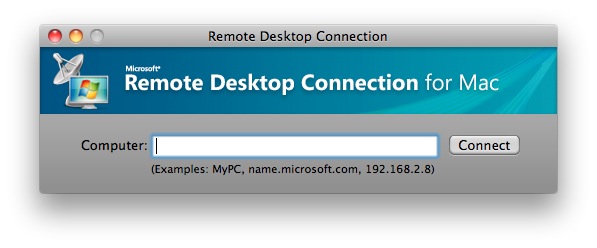
#### Mac OSX
*
Use
[
RDC
](
https://itunes.apple.com/nl/app/microsoft-remote-desktop-8-0/id715768417?l=en&mt=12
)
(
Remote
Desktop Connection Client for Mac 2)
*
fill in for computer name : 145.88.66.103
or 145.88.65.200
*
fill in for computer name : 145.88.66.103
...
...
...
...
